


TableView | Getting Started
A settings-style TableView for .NET MAUI, inspired by AiForms.Maui.SettingsView by Kaoru Nakamura (muak).
| GitHub |  |
| MAUI |  |
| Blazor |  |
MAUI
| Basic | Dynamic | Drag & Sort | Pickers | Styling |
|---|---|---|---|---|
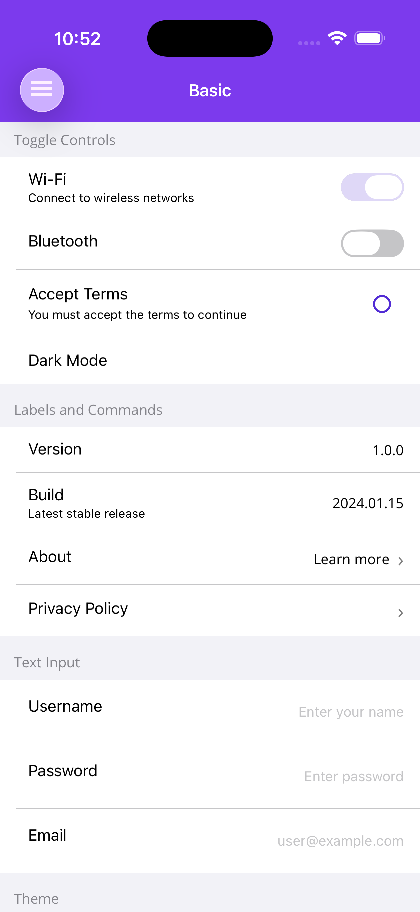 |
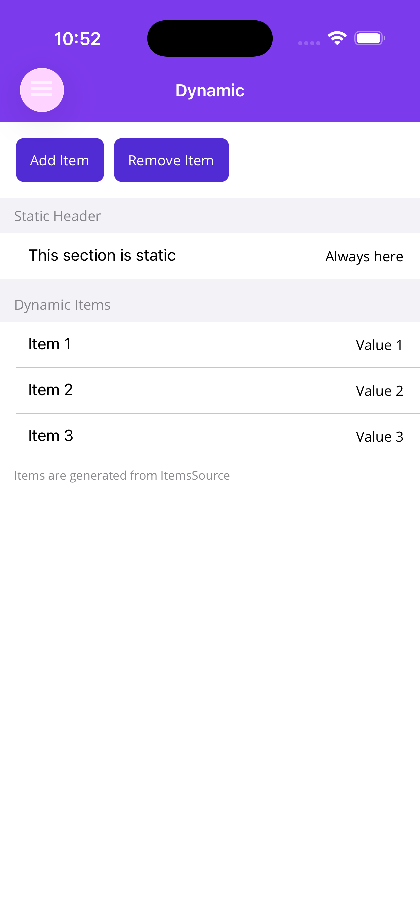 |
 |
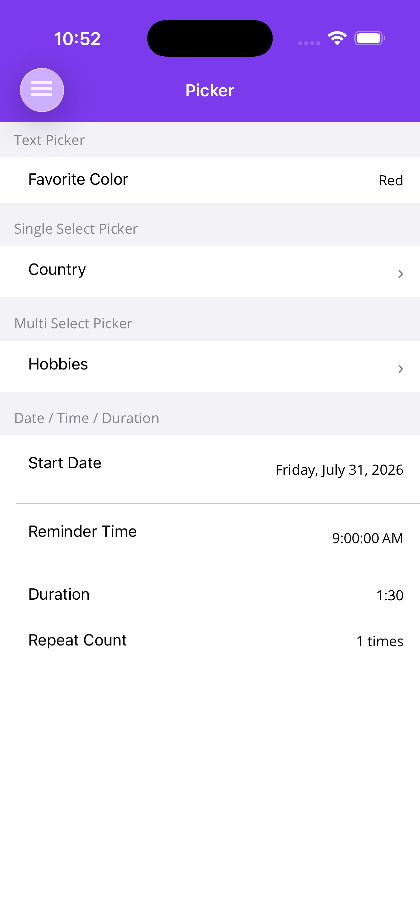 |
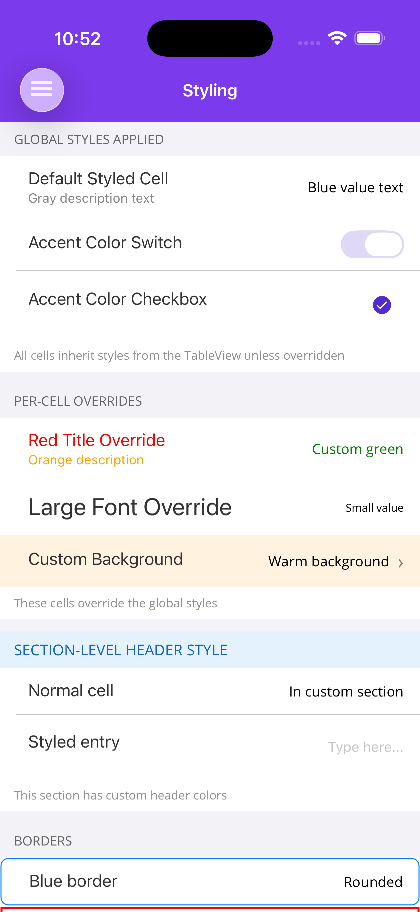 |
Blazor
| Sections, cells and accents | Cell type gallery | More cell types |
|---|---|---|
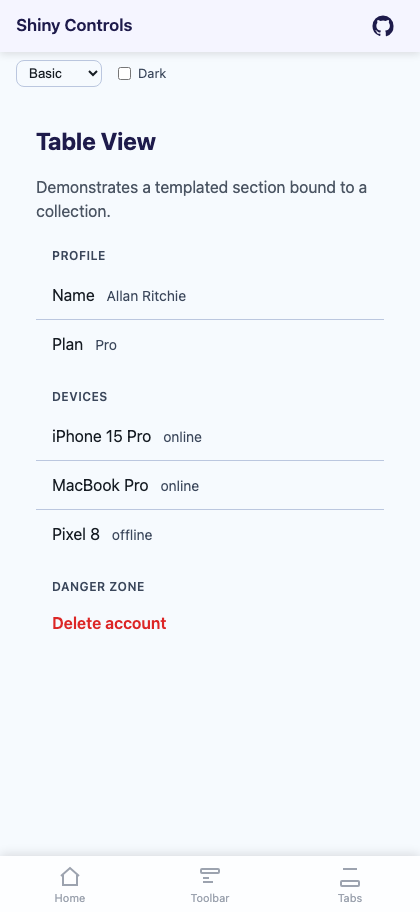 |
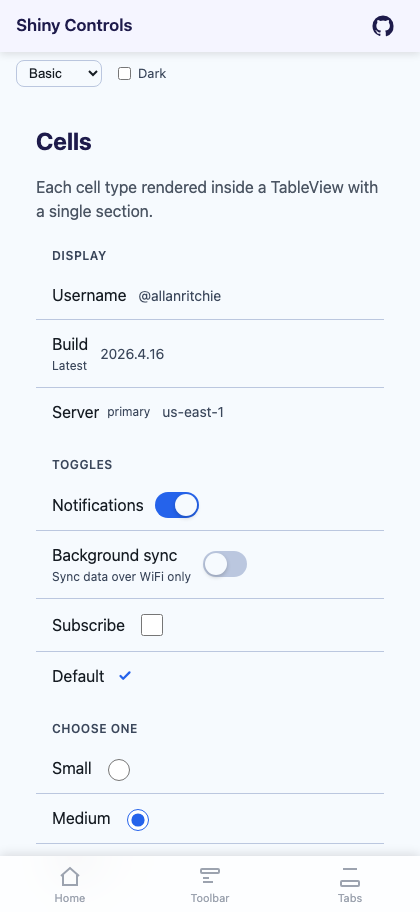 |
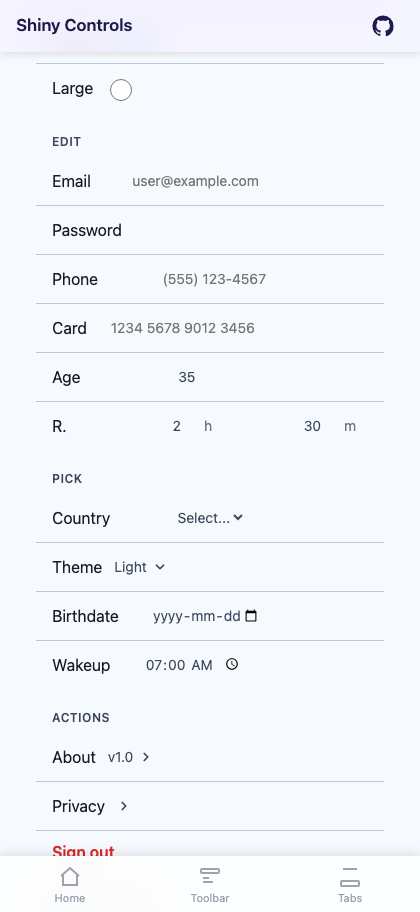 |
How It’s Different
Section titled “How It’s Different”AiForms.SettingsView uses native platform controls under the hood (UITableView on iOS, RecyclerView on Android) with custom MAUI handlers. This gives great native fidelity but ties the implementation to platform-specific code.
Shiny.Maui.TableView takes a pure .NET MAUI approach. The entire control is built from standard MAUI layouts and views. This means:
- Any MAUI target — Works on iOS, Android, MacCatalyst, Windows, Tizen, and any future MAUI target. The library includes platform targets for Android and iOS/MacCatalyst solely to provide borderless Entry rendering on those platforms — all other controls work everywhere without any platform-specific code.
- Single codebase — No custom renderers or platform projects to maintain
- Dark mode support — Respects the system theme automatically; no hardcoded colors
- Fully styleable — Cascading style system from TableView → Section → Cell with per-cell overrides
- XAML-first — All properties are
BindablePropertywith full MVVM/binding support
The trade-off is that you get MAUI’s rendering rather than native list controls, but for settings screens with dozens (not thousands) of items, this is the right trade-off.
Features
Section titled “Features”- 15 built-in cell types for common settings patterns
- Cascading style system (TableView → Section → Cell)
- Full MVVM support with
BindablePropertyon everything - Dynamic sections and cells via
ItemsSource/ItemTemplate - Drag & sort reordering within sections
- Programmatic scroll control
- Section headers and footers (text or custom views)
- Cell icons, hints, descriptions, and borders
- Selection highlighting with customizable colors
-
Install the NuGet package
Terminal window dotnet add package Shiny.Maui.Controls -
Register in your
MauiProgram.csusing Shiny;var builder = MauiApp.CreateBuilder();builder.UseMauiApp<App>().UseShinyControls(); -
Add the XAML namespace to your pages
xmlns:shiny="http://shiny.net/maui/controls"
Quick Start
Section titled “Quick Start”<tv:TableView> <tv:TableRoot> <tv:TableSection Title="Account"> <tv:SwitchCell Title="Notifications" On="{Binding NotificationsOn, Mode=TwoWay}" /> <tv:EntryCell Title="Username" ValueText="{Binding Username, Mode=TwoWay}" Placeholder="Enter name" /> <tv:CommandCell Title="About" Command="{Binding AboutCommand}" ShowArrow="True" /> </tv:TableSection> </tv:TableRoot></tv:TableView>Control Hierarchy
Section titled “Control Hierarchy”The TableView is structured as a simple tree:
tv:TableView ← ScrollView + global styles └─ tv:TableRoot ← Container for sections └─ tv:TableSection ← Groups cells with header/footer └─ tv:[CellType] ← Individual cells (15 types)Next Steps
Section titled “Next Steps”- Cell Types — All 15 cell types with properties and examples
- Sections — Section configuration and dynamic content
- Styling — Cascading style system and global properties
- Advanced — Drag & sort, scroll control, and events
AI Coding Assistant
Section titled “AI Coding Assistant”Step 1 — Add the marketplace:
claude plugin marketplace add shinyorg/skillsStep 2 — Install the plugin:
claude plugin install shiny@shinyOne plugin installs all 35 Shiny skills. Your agent loads only the skill relevant to what you're building, so there's no cost to having them all available.
Step 1 — Add the marketplace:
copilot plugin marketplace add https://github.com/shinyorg/skillsStep 2 — Install the plugin:
copilot plugin install shiny@shinyOne plugin installs all 35 Shiny skills. Your agent loads only the skill relevant to what you're building, so there's no cost to having them all available.
Acknowledgments
Section titled “Acknowledgments”This project was inspired by AiForms.Maui.SettingsView by Kaoru Nakamura (muak), licensed under MIT. AiForms.SettingsView pioneered the rich settings TableView pattern for Xamarin.Forms and .NET MAUI using native platform renderers.
Shiny.Maui.TableView reimagines that feature set as a pure .NET MAUI implementation — no custom renderers — making it simpler to maintain and extend while supporting the same cell types and styling capabilities. It works on all .NET MAUI platforms out of the box.