


Barcodes & QR Codes
Shiny.Maui.Controls.Barcodes and Shiny.Blazor.Controls.Barcodes are separate add-on packages that render 1D and 2D barcodes — including QR codes — using ZXing.Net. The PNG path uses a pure-managed, AOT-safe encoder built into the package: no SkiaSharp, no System.Drawing — so the exact same code ships clean on iOS, Android, Mac Catalyst, Windows, and Blazor WebAssembly.
There are three ways to produce a barcode, all backed by the same encoder:
| Approach | Where it lives | Use it when |
|---|---|---|
MAUI views — BarcodeView, QRCodeView |
Shiny.Maui.Controls.Barcodes |
You want a barcode on a XAML page |
Blazor components — BarcodeView, QRCodeView |
Shiny.Blazor.Controls.Barcodes |
You want a barcode in a Razor component (SVG or PNG) |
Headless BarcodeRenderer |
Shiny.Controls.Barcodes (shared) |
You need raw PNG bytes / SVG / data URI with no UI — PDFs, emails, label printing, services |


MAUI
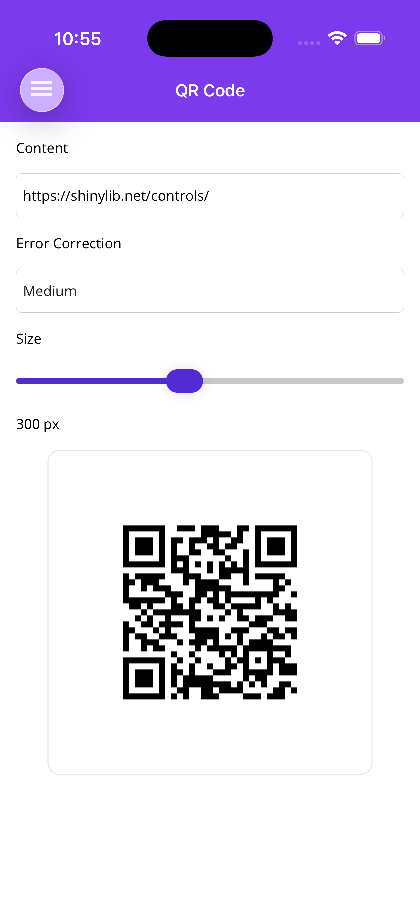 |
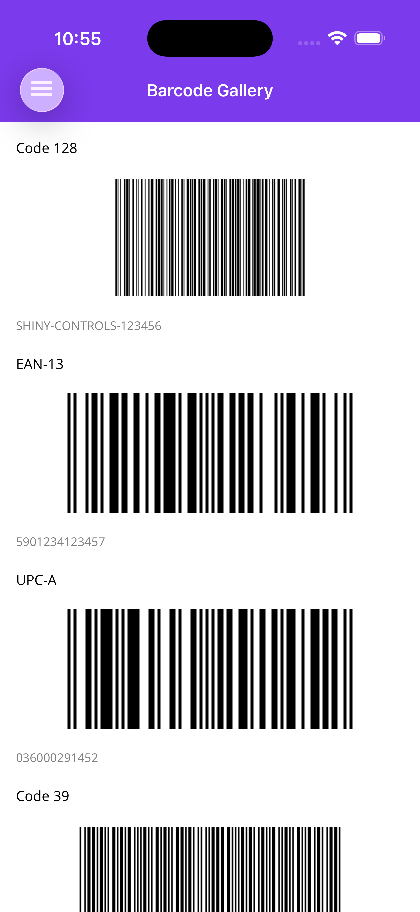 |
Blazor
| QR code | Symbology gallery |
|---|---|
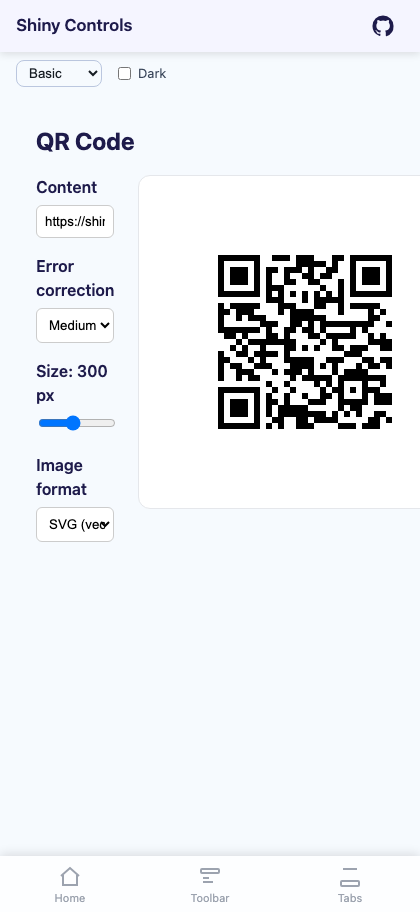 |
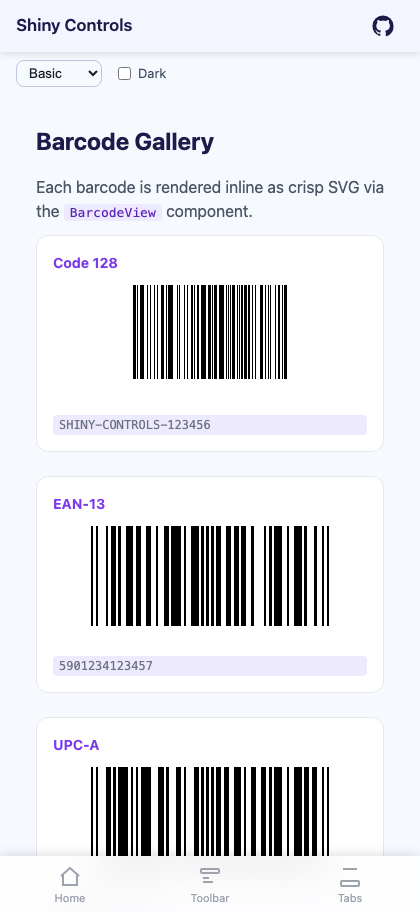 |
- MyApp/
1<Project Sdk="Microsoft.NET.Sdk">2 <PropertyGroup>3 <BaseTargetFramework>net10.0</BaseTargetFramework>4 <TargetFrameworks>$(TargetFrameworks);$(BaseTargetFramework)-ios</TargetFrameworks>5 <TargetFrameworks>$(TargetFrameworks);$(BaseTargetFramework)-android</TargetFrameworks>6 <!--useful for unit testing - not enabled by default since it can cause issues and callout projects that don't support target-->7 <!--<TargetFrameworks Condition="'$(CI)' != 'true'">$(TargetFrameworks);$(BaseTargetFramework)</TargetFrameworks>-->8 9 <RootNamespace>MyApp</RootNamespace>10 <SingleProject>true</SingleProject>11 <ImplicitUsings>enable</ImplicitUsings>12 <Nullable>enable</Nullable>13 <ApplicationTitle>MyApp</ApplicationTitle>14 <ApplicationId>com.companyname.app</ApplicationId>15 <ApplicationDisplayVersion>1.0</ApplicationDisplayVersion>16 <ApplicationVersion>1</ApplicationVersion>17 18 <MauiXamlInflator>SourceGen</MauiXamlInflator>19 <!--uncomment below for XAML expressions in net10-->20 <!--<EnablePreviewFeatures>true</EnablePreviewFeatures>-->2122 <MauiVersion>10.0.90</MauiVersion>23 <ShinyVersion>5.5.0</ShinyVersion>24 <ShinyControlsVersion>1.2.0</ShinyControlsVersion>25 <ShinyShellVersion>6.3.2</ShinyShellVersion>26 <ShinyDocumentDbVersion>13.4.0</ShinyDocumentDbVersion>27 <ShinyMauiHostingVersion>5.1.5</ShinyMauiHostingVersion>28 <ShinyExtensionsVersion>5.1.5</ShinyExtensionsVersion>29 <ShinyHttpServerVersion>1.0.4</ShinyHttpServerVersion>30 <ShinySpeechVersion>3.0.0-beta-0030</ShinySpeechVersion>31 <ShinySpatialVersion>2.0.0</ShinySpatialVersion>32 <ShinyHealthVersion>2.0.1</ShinyHealthVersion>33 <ShinyMusicVersion>4.1.0</ShinyMusicVersion>34 <ShinyObdVersion>1.1.0</ShinyObdVersion>35 <ShinyRecognitionVersion>1.0.0-beta-0006</ShinyRecognitionVersion>3637 <EnableAotAnalyzer>true</EnableAotAnalyzer>38 <EnableTrimAnalyzer>true</EnableTrimAnalyzer>39 <EnableSingleFileAnalyzer>true</EnableSingleFileAnalyzer>4041 </PropertyGroup>4243 <!-- If you want to enable AOT for iOS, uncomment the below. Note that this will cause a significant increase in build time, but will result in faster runtime performance and smaller app size. You can also enable it for just Release builds if you prefer.44 <PropertyGroup Condition="$([MSBuild]::GetTargetPlatformIdentifier('$(TargetFramework)')) == 'ios' and '$(Configuration)' == 'Release'">45 <PublishAot>true</PublishAot>46 </PropertyGroup>47 -->4849 <PropertyGroup Condition="'$(TargetFramework)' != '$(BaseTargetFramework)'">50 <OutputType>Exe</OutputType>51 <UseMaui>true</UseMaui>52 <DefineConstants>$(DefineConstants);PLATFORM</DefineConstants>53 </PropertyGroup>5455 <PropertyGroup Condition="'$(TargetFramework)' == '$(BaseTargetFramework)'">56 <OutputType>Library</OutputType>57 <UseMaui>false</UseMaui>58 </PropertyGroup>5960 <PropertyGroup Condition="$([MSBuild]::GetTargetPlatformIdentifier('$(TargetFramework)')) == 'android'">61 <SupportedOSPlatformVersion>26.0</SupportedOSPlatformVersion>62 <TargetPlatformVersion>36</TargetPlatformVersion>63 <!--64 <EmbedAssembliesIntoApk Condition="'$(Configuration)' == 'Debug'">true</EmbedAssembliesIntoApk>65 <AndroidPackageFormats Condition="'$(Configuration)' == 'Release'">aab</AndroidPackageFormats>66 <AndroidLinkTool>r8</AndroidLinkTool>67 <AndroidLinkTool>proguard</AndroidLinkTool>68 -->69 </PropertyGroup>7071 <PropertyGroup Condition="$([MSBuild]::GetTargetPlatformIdentifier('$(TargetFramework)')) == 'ios' AND '$(Configuration)' == 'Debug'">72 <!--forces the simulator to pickup entitlements-->73 <EnableCodeSigning>true</EnableCodeSigning>74 <CodesignRequireProvisioningProfile>true</CodesignRequireProvisioningProfile>75 <DisableCodesignVerification>true</DisableCodesignVerification>76 </PropertyGroup>7778 <PropertyGroup Condition="$([MSBuild]::GetTargetPlatformIdentifier('$(TargetFramework)')) == 'ios' OR $([MSBuild]::GetTargetPlatformIdentifier('$(TargetFramework)')) == 'maccatalyst'">79 <SupportedOSPlatformVersion>15.0</SupportedOSPlatformVersion>80 <DefineConstants>$(DefineConstants);APPLE</DefineConstants> 81 </PropertyGroup>8283 <ItemGroup Condition="$([MSBuild]::GetTargetPlatformIdentifier('$(TargetFramework)')) == 'ios' OR $([MSBuild]::GetTargetPlatformIdentifier('$(TargetFramework)')) == 'maccatalyst'">84 <BundleResource Include="Platforms\iOS\PrivacyInfo.xcprivacy" LogicalName="PrivacyInfo.xcprivacy" />85 86 <CustomEntitlements Include="keychain-access-groups" Type="StringArray" Value="%24(AppIdentifierPrefix)$(ApplicationId)" Visible="false" />87 </ItemGroup>8889 <ItemGroup>90 <TrimmerRootDescriptor Include="Linker.xml" Condition="'$(Configuration)' == 'Release'" />9192 <MauiIcon Include="Resources\AppIcon\appicon.svg" ForegroundFile="Resources\AppIcon\appiconfg.svg" Color="#512BD4" />93 <MauiSplashScreen Include="Resources\Splash\splash.svg" Color="#512BD4" BaseSize="128,128" />9495 <MauiImage Include="Resources\Images\*" />96 <MauiFont Include="Resources\Fonts\*" />97 <MauiAsset Include="Resources\Raw\**" LogicalName="%(RecursiveDir)%(Filename)%(Extension)" />98 </ItemGroup>99100 <ItemGroup>101 <PackageReference Include="Shiny.Extensions.MauiHosting" Version="$(ShinyMauiHostingVersion)" />102 <PackageReference Include="Shiny.Maui.Controls.Barcodes" Version="$(ShinyControlsVersion)" />103 <PackageReference Include="Microsoft.Maui.Controls" Version="$(MauiVersion)" />104 <PackageReference Include="Microsoft.Extensions.Logging.Debug" Version="10.0.10" Condition="'$(Configuration)' == 'Debug'" />105 </ItemGroup>106107 <ItemGroup Condition="'$(TargetFramework)' != '$(BaseTargetFramework)'">108 <PackageReference Include="Shiny.Hosting.Maui" Version="$(ShinyVersion)" />109 </ItemGroup>110111</Project>Features
Section titled “Features”- 13 symbologies —
QRCode,Aztec,DataMatrix,Pdf417,Code128,Code39,Code93,Codabar,Ean8,Ean13,UpcA,UpcE,Itf. See Symbologies. QRCodeViewshortcut — locksFormat = QRCode, exposes a single squareSizeproperty, and addsErrorCorrection(Low/Medium/Quartile/High).- Pure-managed PNG encoder — custom zlib + CRC32 + Adler32 implementation; no SkiaSharp /
System.Drawingdependency. - Inline SVG on Blazor — single-
<path>output withshape-rendering="crispEdges", scales infinitely without aliasing, stays tiny in the DOM. - Configurable foreground / background colors — hex on the shared options, MAUI
Coloron the MAUI views, CSS strings on Blazor. - Headless API —
BarcodeRenderer.RenderPng / RenderSvg / RenderDataUrifor use from view models, services, PDF builders, etc. - AOT-safe — pure managed code, no dynamic codegen, no reflection-only types.
AI Skill
Section titled “AI Skill”Step 1 — Add the marketplace:
claude plugin marketplace add shinyorg/skillsStep 2 — Install the plugin:
claude plugin install shiny@shinyOne plugin installs all 35 Shiny skills. Your agent loads only the skill relevant to what you're building, so there's no cost to having them all available.
Step 1 — Add the marketplace:
copilot plugin marketplace add https://github.com/shinyorg/skillsStep 2 — Install the plugin:
copilot plugin install shiny@shinyOne plugin installs all 35 Shiny skills. Your agent loads only the skill relevant to what you're building, so there's no cost to having them all available.
Installation
Section titled “Installation”.NET MAUI
Section titled “.NET MAUI”dotnet add package Shiny.Maui.Controls.Barcodesxmlns:bc="http://shiny.net/maui/barcodes"No DI registration is required — the views are plain ContentViews.
Blazor
Section titled “Blazor”dotnet add package Shiny.Blazor.Controls.Barcodes@using Shiny.Blazor.Controls.Barcodes@using Shiny.Controls.BarcodesQuick Start
Section titled “Quick Start”.NET MAUI
Section titled “.NET MAUI”<!-- 1D / 2D — pick any supported Format --><bc:BarcodeView Value="5901234123457" Format="Ean13" PixelWidth="400" PixelHeight="150" />
<!-- QR code shortcut --><bc:QRCodeView Value="https://shinylib.net" Size="300" ErrorCorrection="High" />Blazor
Section titled “Blazor”<!-- SVG output (default) — crisp at any CSS size --><BarcodeView Value="5901234123457" Format="BarcodeFormat.Ean13" />
<!-- QR shortcut --><QRCodeView Value="https://shinylib.net" Size="300" QRErrorCorrection="QRErrorCorrection.High" />From code (no UI)
Section titled “From code (no UI)”using Shiny.Controls.Barcodes;
byte[] png = BarcodeRenderer.RenderPng("https://shinylib.net", BarcodeFormat.QRCode);